
I track what I watch on Simkl: TV shows, anime, movies. On my phone I use an Android client that is fast, with a UI that looks a few years old. I like Trakt’s look, and I like Simkl’s own website. So I wanted a client with the speed of the one I have and the face of the site.
That is the whole reason NextFrame exists. It is an Android app for my own Simkl library.
How it started
It began with a question. I wanted to know whether an AI assistant could build an Android app if I gave it an emulator to test on. I asked it for ideas, and the Simkl client was the one I picked. I already pull Simkl data into the Almanac on this blog, so I knew the API a little.
I started with Trakt as the reference, then changed my mind and told it to copy the look of Simkl’s web UI instead. The colors come from the site: near-black background, red for actions, amber for ratings.
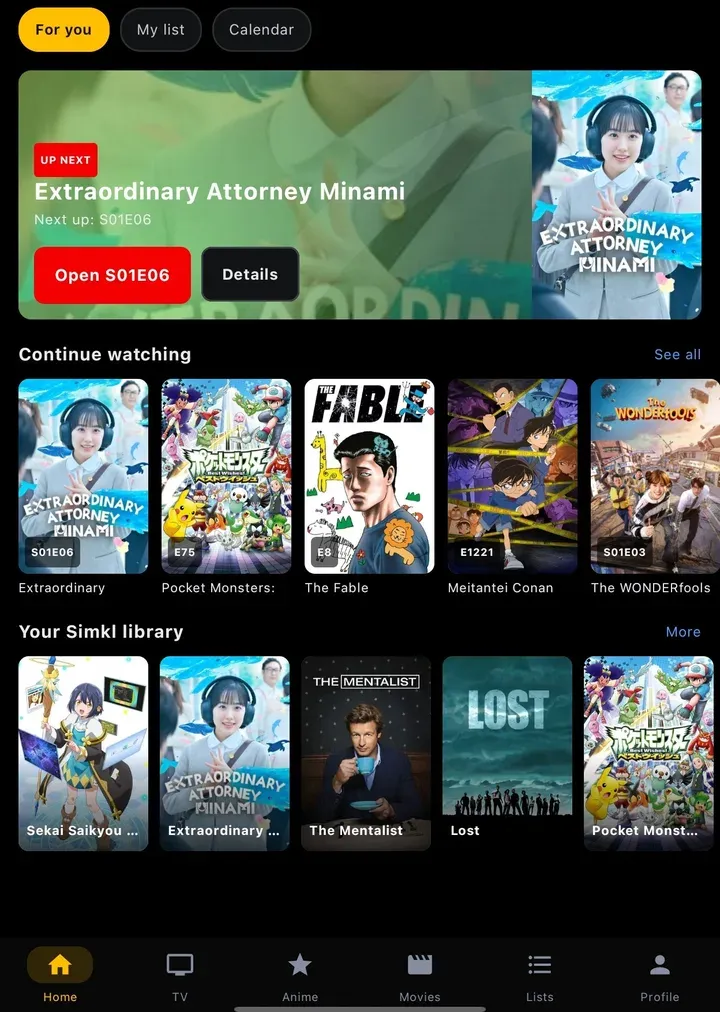 Home today: an Up next card, Continue watching, and a row from my Simkl library.
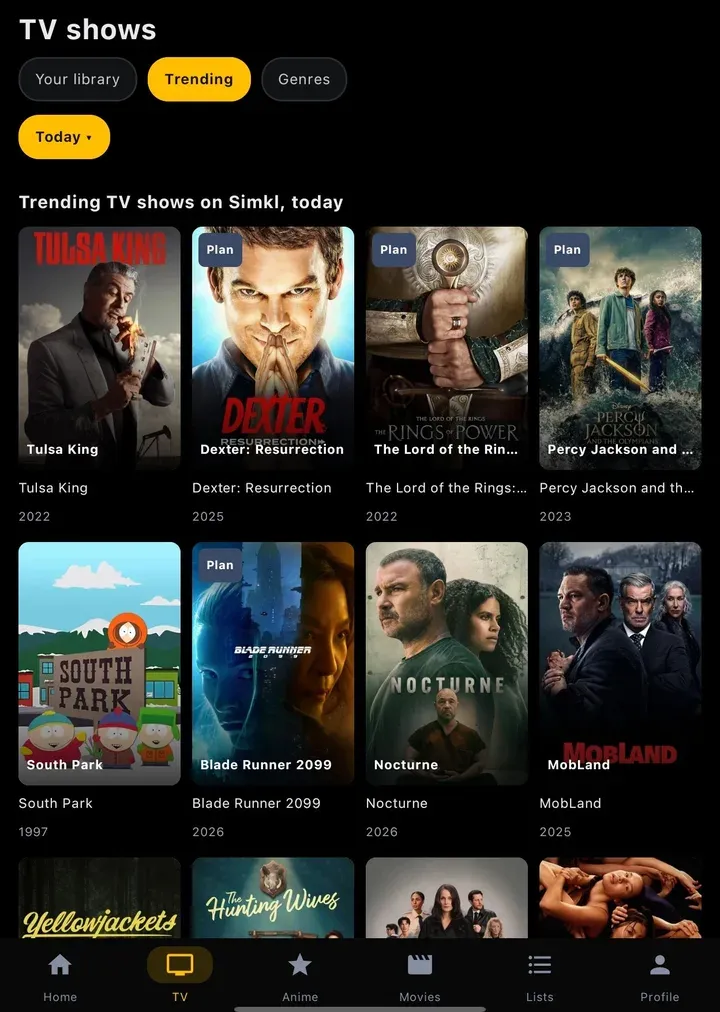 TV shows, Trending, Today. A poster grid, with a Plan badge on titles already on my plan to watch list.
Mockups first
Before any code, I asked for all the screens as mockups, and I tracked them as a Lab entry on this site. The set grew to 17 boards and 51 screens, on phone portrait and dark theme only. It was cheap to change my mind there. Moving a button on a mockup costs nothing. Moving it in a working app does not.
What it is built with
NextFrame is written in Kotlin with Jetpack Compose and Material 3. Room keeps data on the device, Coil loads the posters, and sign-in uses Simkl’s OAuth with PKCE, so the app carries no client secret. The unit tests run on JUnit and Robolectric.
One rule I set early
Simkl limits how many requests an account can make per day. My account is VIP, so the limit is high for me, but a free account gets far less. I told the assistant early that the app should not make requests it does not need, and that it should cache as much as it can. That rule shaped a lot of the app, and it comes back in a later post, because caching had a side effect I did not expect.
Testing on my phone
I installed it on my Z Fold 8 and it ran well on Android 17. Changing a show’s status to plan to watch worked. Checking off an episode showed up on the Simkl website. I could submit a rating, and cast and reviews appeared on TV and movie pages.
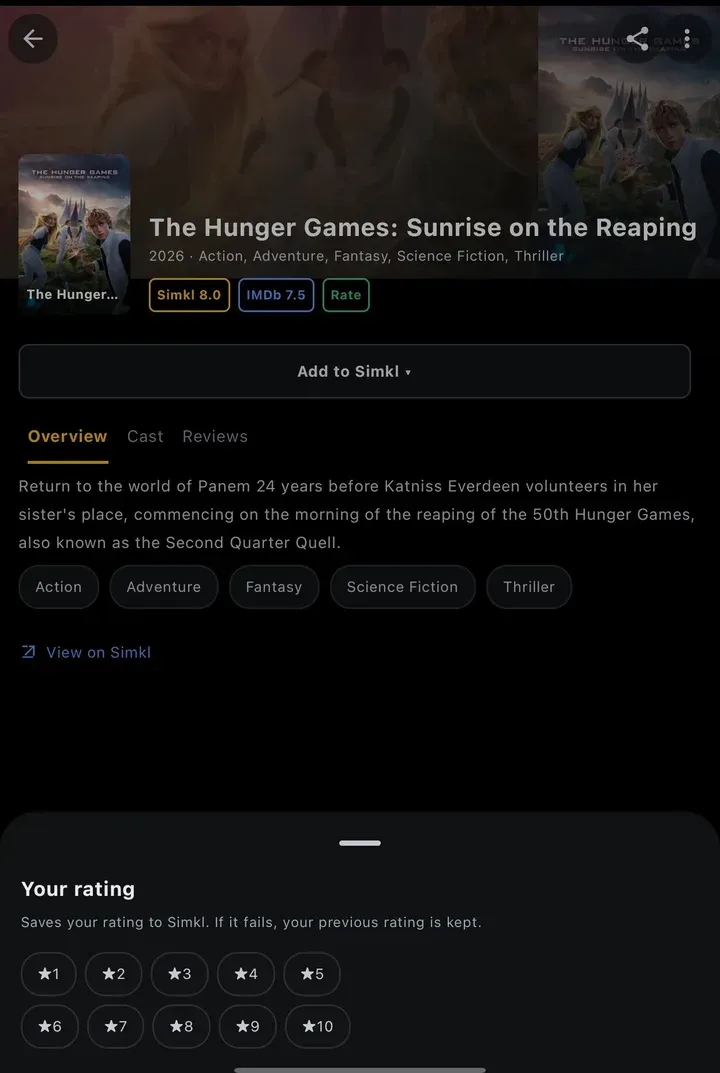 The rating sheet on a title page.
It also found problems. The TV menu crashed. Posters were cropped. Some lists were empty. Back from a show sent me to the wrong tab. Each of those came from me using the app and sending feedback, and that is still how it improves.
I asked for a better name, in English, and chose NextFrame.
Where it is now
NextFrame is a personal project. It is not on the Play Store, and I have not decided whether it will be. For now it is a client that does what I wanted: it is quick, and it looks like Simkl.
The next post is about the first big performance problem I ran into, which came from a cache that was supposed to make things faster.